Labour One shows you how many road groups you have started, how many contacts you have made and how many households you have visited as you run your session.
Statistics for sessions are shown at the top of the session page:
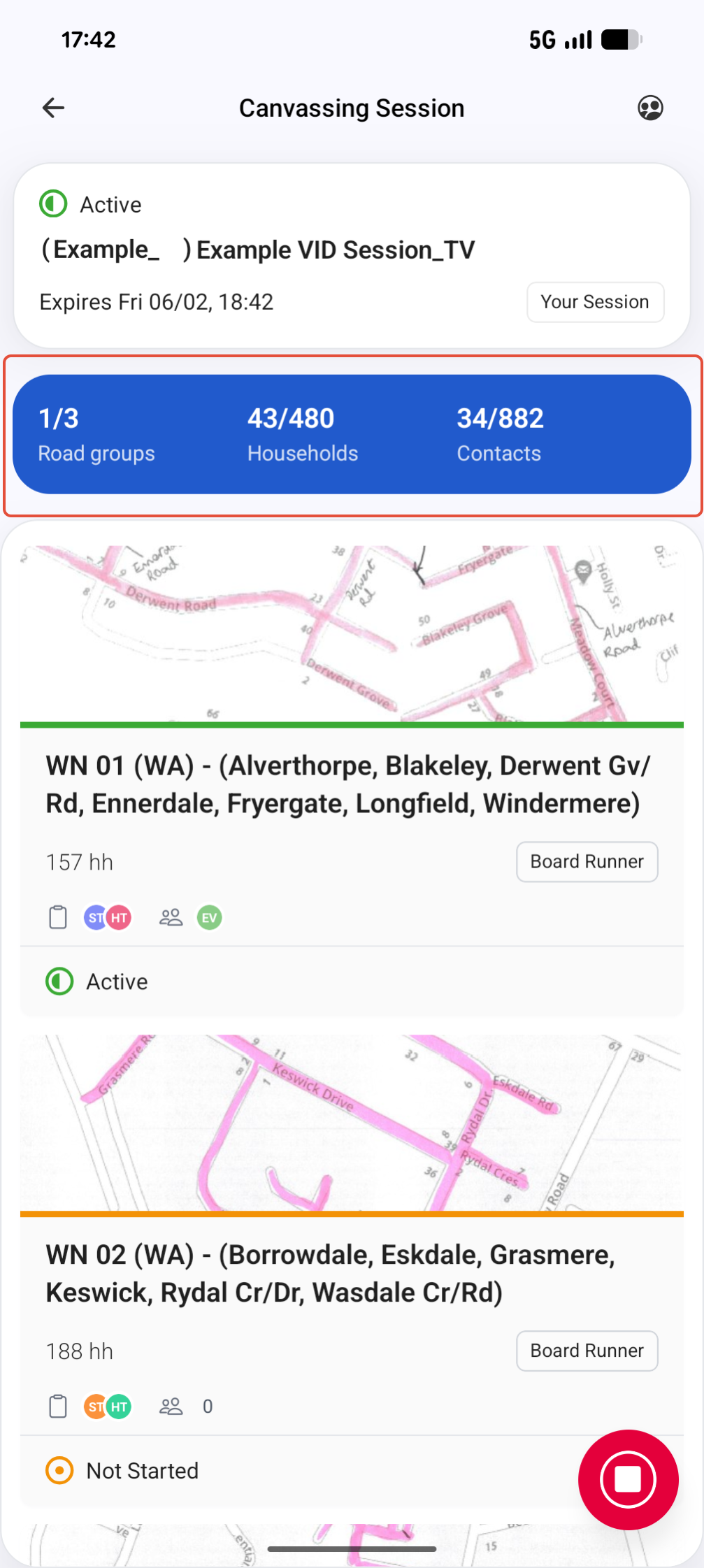
What does each statistic track?
Road Groups
The second number, for example in the above image it shows 1/3, is the total number of road groups in your session. The first number is how many road groups you have started by clicking the 'play' button. So in the above example there are 3 road groups and 1 has been started.
Households
The second number, for example in the above image it shows 43/480, is the total number of households in your session across all road groups. The first number is how many households you have entered data for. This includes completing a voter survey or a partial survey, marking a house as 'not in' or any other data entry options. So in the above example 43 out of a total 480 households have been visited.
Contacts
The second number, for example in the above image it shows 34/882, is the total number of contacts in your session across all road groups. The first number is now many individuals you have entered data for. This includes completing a voter survey or partial survey, entering any of the reasons for 'unable to record data' or any other data entry options. So in the above example 34 out of a total 882 contacts have been spoken to.