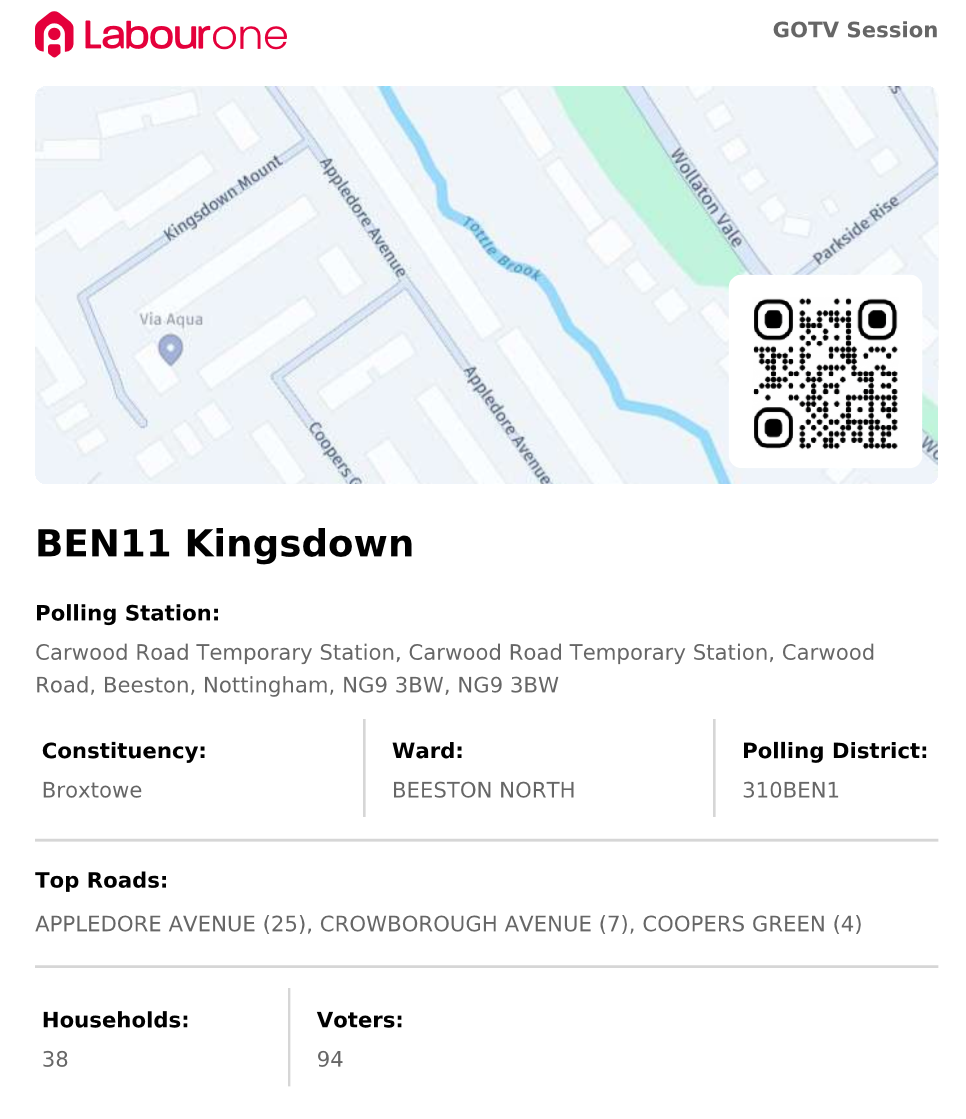
When you receive the email from Labour One to confirm that your session is ready, it will have two share links exactly like a VID session email and it will also have a PDF attached with a cover sheet for each road group in your GOTV session. Key information will be shown on the cover sheets and each road group will have it's own QR code which team members can scan to as a board runner.
What is included on cover sheets
Front page:
- QR code to join each road group
- road group map generated on Contact Creator (please note that if you have not generated a map or uploaded an image of a map on Contact Creator road group administration, no map will be shown on your cover sheet)
- road group name
- polling station name(s) and address(es) for that road group
- geography information: constituency, ward, polling district
- road names in that road group
- total households in the road group included for this session
- total voters in the road group included for this session
Back page:
- how to find Labour One in your app store
- quick set-up instructions
- session name and campaign centre information (if applicable)